
Need to contact an Actor?
If you would like to message an Actor with a question, or if you would like to officially offer an Actor a role, you can send them a Cmail message. Cmail is an internal messaging system designed for users of Breakdown Express, for keeping communication within the site.
Please Note: Using Cmail to request or share personal contact information, request self tapes, schedule auditions and share third party links will result in your access to Breakdown Services being terminated.
Sending a Basic Message
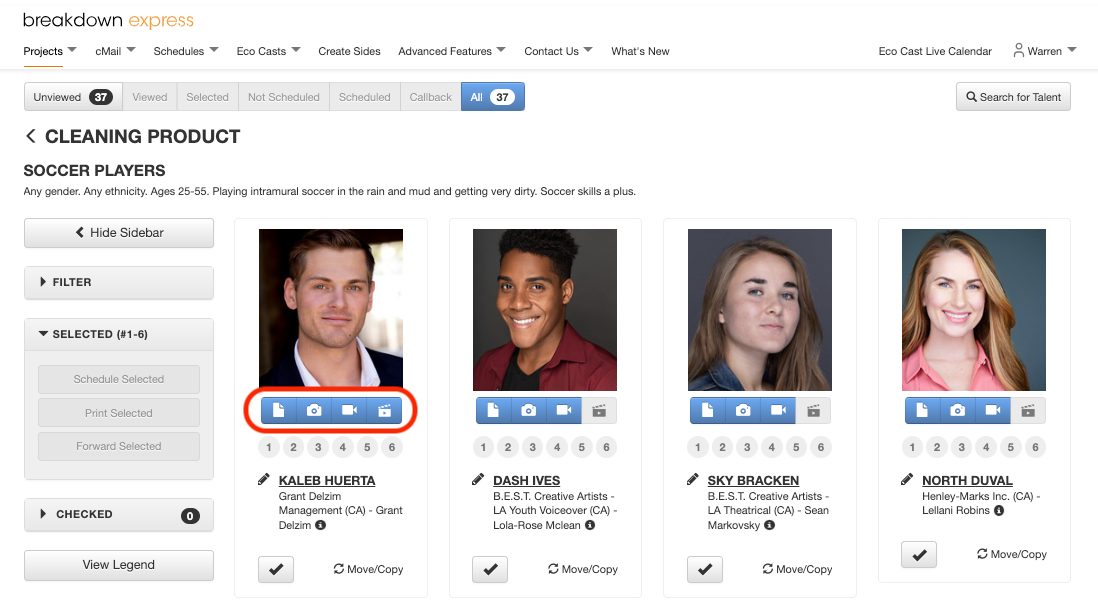
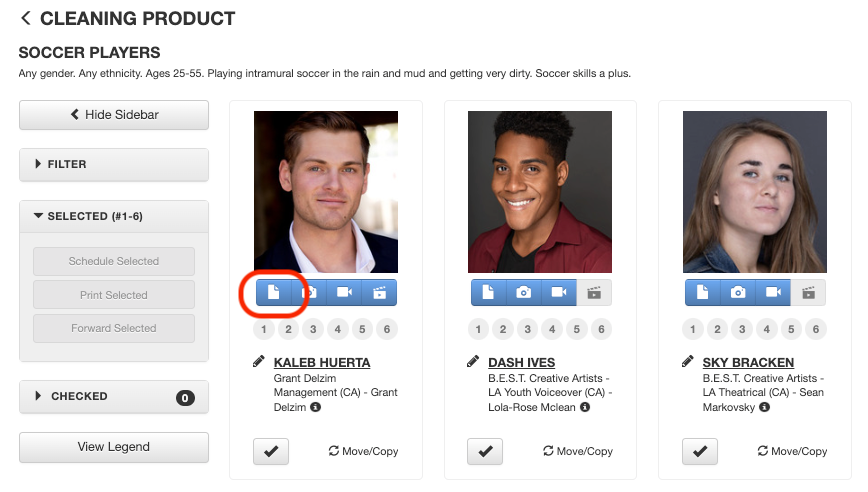
1a) On your role's submissions page, select one of the blue icons under the photo of the Actor to whom you would like to send a message.
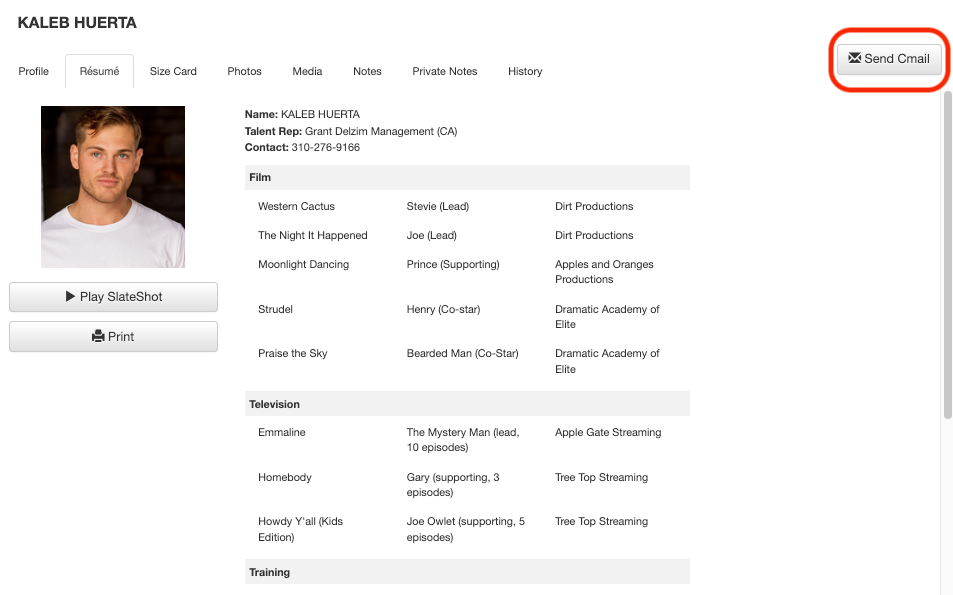
In the Actor's résumé pop-up window, select the Send Cmail button in the upper right corner.
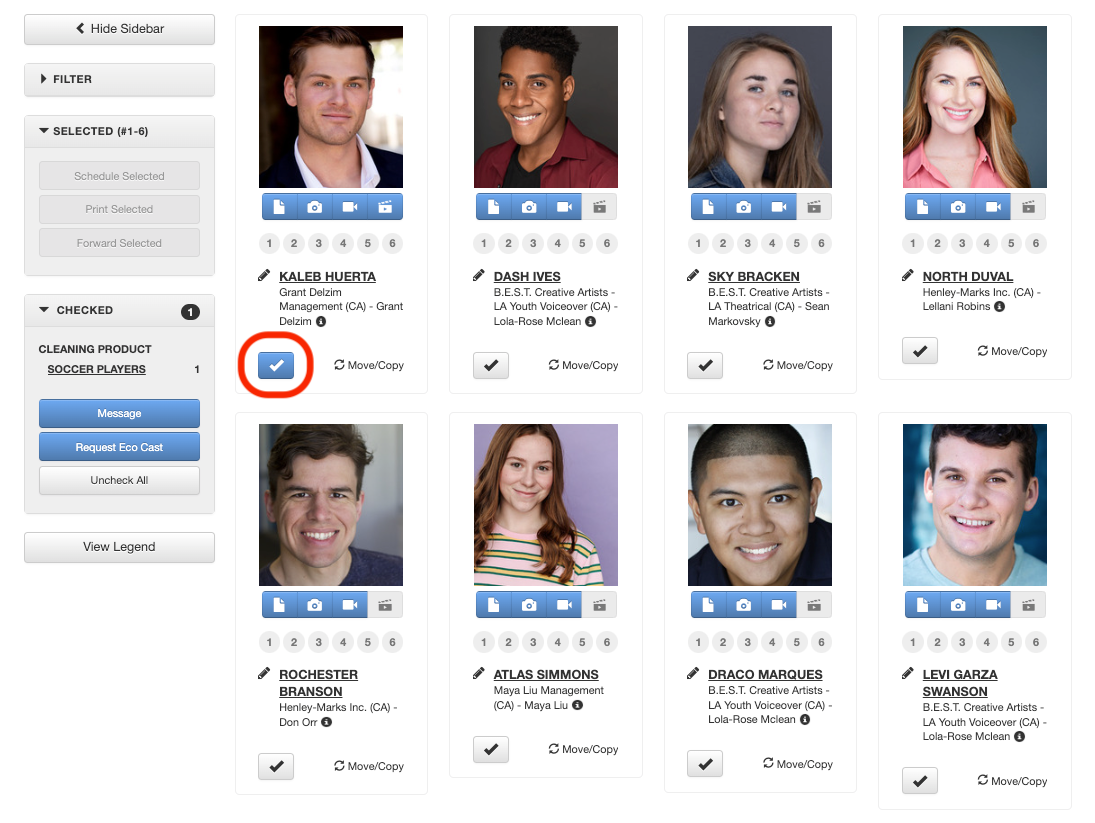
1b) You can also select an Actor you would like to message by clicking the checkbox below the Actor's name. If you would like to send a group message, you may select multiple checkboxes.
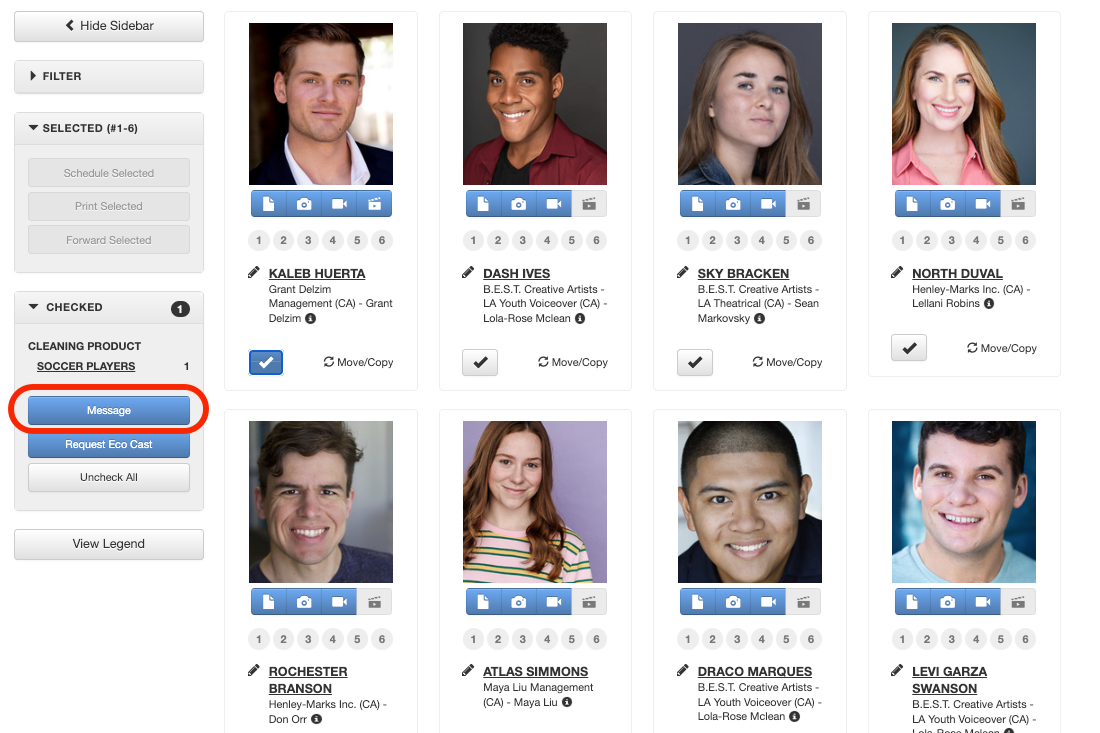
Next, go to the left sidebar and select the Message button located in the Checked drop-down section.
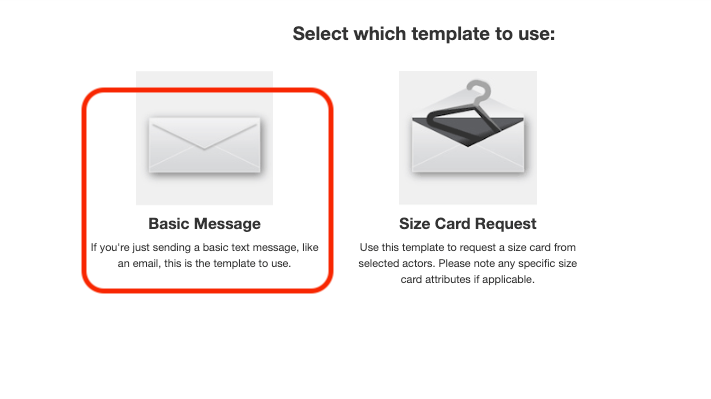
2) Select the Basic Message template.
3) In the Subject line, enter the subject of your Cmail and compose your message in the Message Box. If you would like your recipients to have the ability to respond to your message, check the Allow all recipients to reply checkbox and then select Send Message.
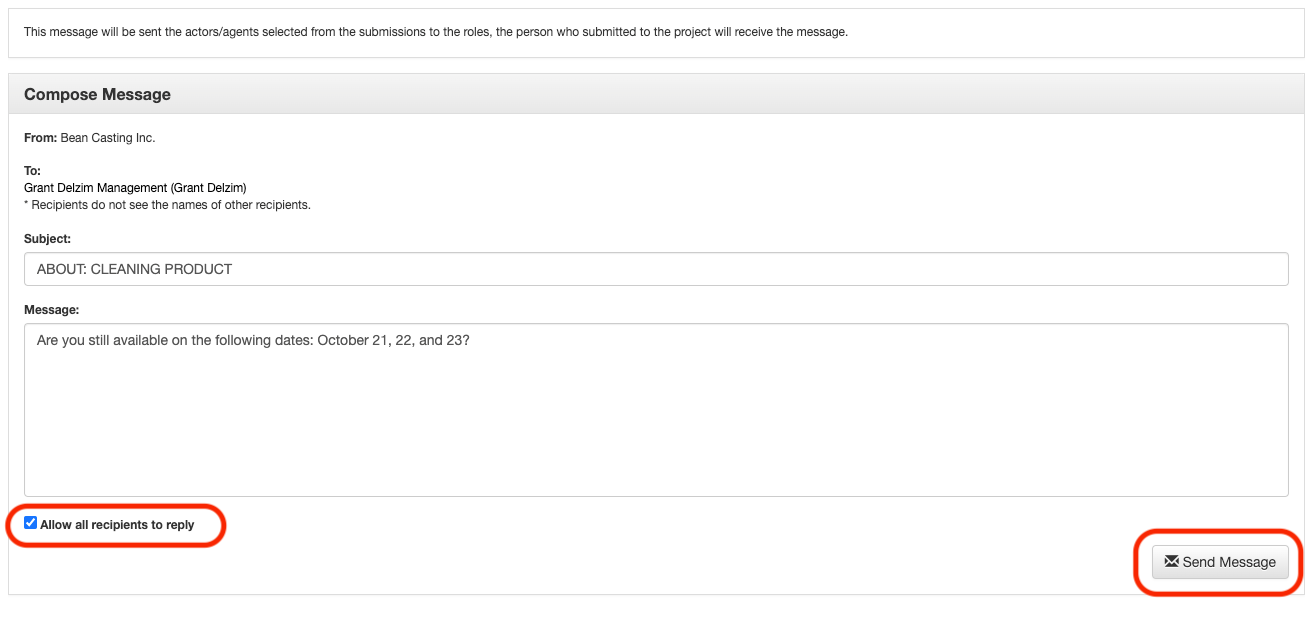
Note: Recipients Do Not see the names of the other recipients.
You may exchange personal contact information once the Actor has accepted the role.
How to Send a Size Card Request
Did an Actor forget to include a Size Card when submitting for the role? You may request that they add the Size Card to their submission via a Size Card Request Cmail.
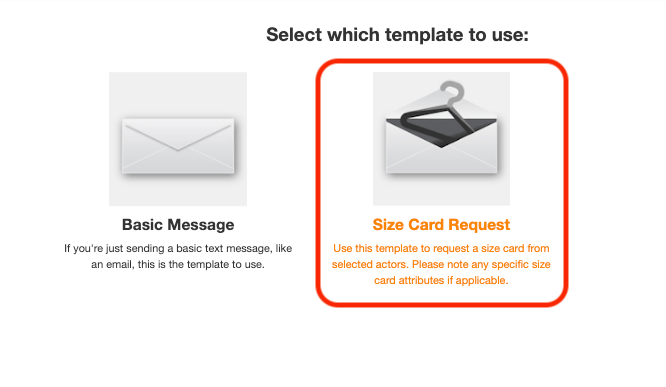
1) Follow Steps 1 & 2 from the previous section and then select Size Card Request on the template page.
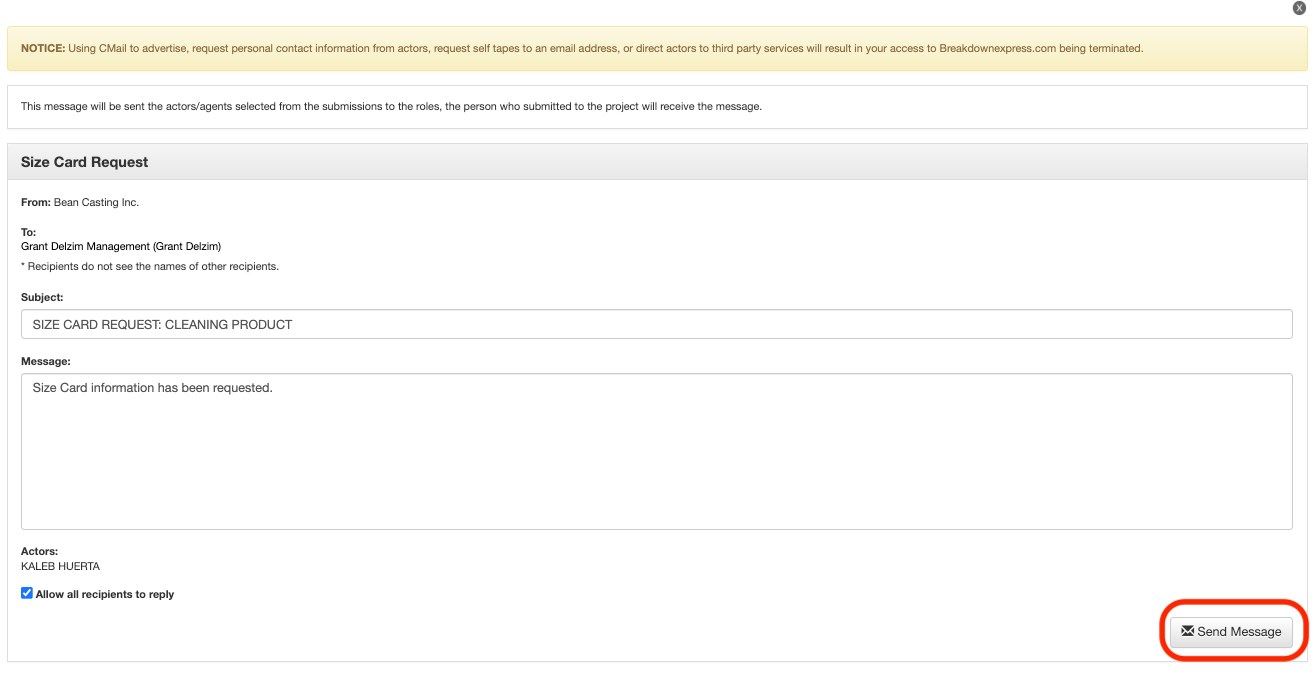
2) Selecting the Size Card Request template will automatically fill in the subject line and message body. Include any additional notes you would like to add to the message body and then select Send Message.
3) Once you've sent the Size Card request, you should receive a response from the recipient letting you know that they have attached his or her Size Card to their submission. To view the Size Card, select the Actor's résumé icon in the role's submissions page.

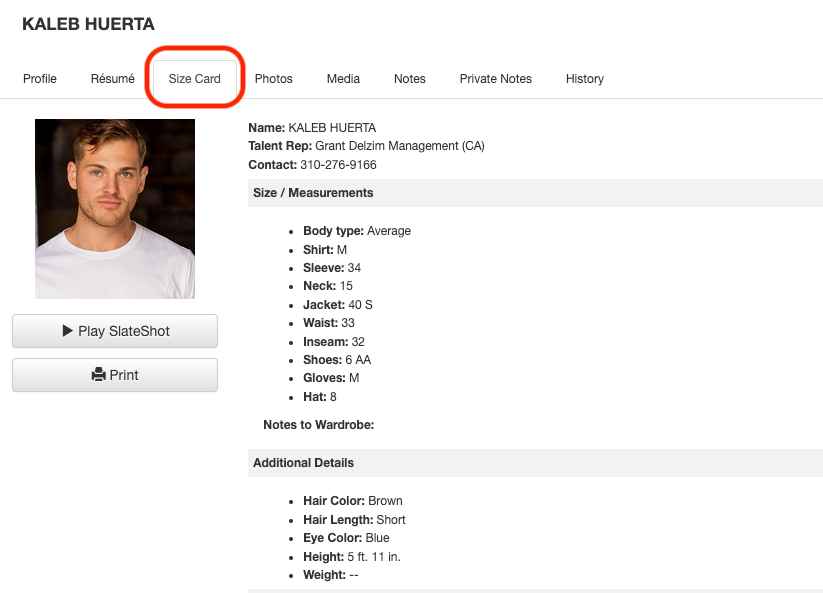
4) Next, select the Size Card tab. You'll be able to view the Actor's sizes, measurements and any other additional details they have listed for you.
Next Steps: